
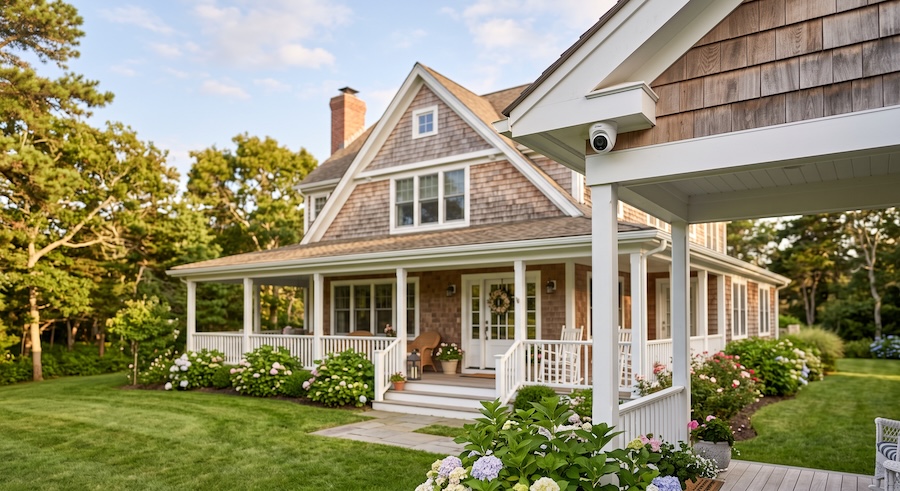
Home Security Camera Tips & Features Worth Trusting
A camera from a big-box store looks simple in the ad: stick it by the door, open an app, and you are done. In practice, many homeowners end up with a few different apps and footage that is only useful for a couple of days.
A home security camera is only as good as what it is connected to, and that is where a professionally planned system pulls ahead of anything bought off a shelf.
What to look for in a camera setup
- Clear footage, day or night. Placement and low-light performance matter more than the resolution number on the box.
- One app for every camera, with no separate logins or notification settings to juggle.
- Cameras that can talk to your lighting and automation, not just their own app.
- Hardware and network planning suited to coastal Delaware, including weatherproofing and coverage that reaches a detached garage or guest cottage.
Why does my camera footage look blurry at night?
The difference between a usable clip and a blurry shadow usually comes down to placement and low-light performance, not the number printed on the box. A camera positioned for your property accounts for glare off a storm door or window, headlights sweeping across the driveway, how dark the yard gets after sunset, and blind spots in the layout.
Getting that positioning right the first time means footage clear enough to make out a face or a license plate, whether it is a delivery at noon or something moving across the yard at 2 a.m.
Enjoy one app, not five
Box-store cameras often come from different brands and were bought at different times. That usually means a different app for the driveway, the doorbell, and the backyard, each with its own login and quirks.
Cameras installed by Electronic Interiors tie every view into one app, so checking who is at the door and glancing at the backyard happen in the same place.
Can my cameras work with my smart home?
A camera that only lives in its own app misses everything else happening on your property. Tied into a smart home automation system, a driveway camera that detects motion can turn on the porch light. The cameras, lighting, and controls share the same platform instead of running as isolated gadgets on Wi-Fi.
Cameras that hold up in coastal Delaware
A Lewes or wider Sussex County home has its own quirks: salt air, humidity, and larger lots that a one-size-fits-all kit does not account for. Wi-Fi also tends to drop off toward a detached garage or guest cottage. We plan for those conditions before installation day, and we choose hardware that can handle coastal moisture.
A few common questions
Do I need a professional to install a home security camera? Not for a single camera over a doorway. For whole-property coverage with clear footage and one app, professional placement and setup make the difference between usable video and grainy clips.
Can I still check my cameras from my phone? Yes. These systems are set up for remote viewing, so you can check the door or the backyard from anywhere, all from one app.
Will the cameras work with the devices I already have? When they are installed as part of a broader smart home setup, yes. They can work with lighting and automation rather than running as a separate app.
If your current cameras leave you squinting at grainy footage or juggling three different apps, a professionally installed setup can give you a clearer picture without the guesswork. Call us at 302-827-3909 or email sales@eismarthome.com to schedule an in-home consultation.

